![Vivid Gold - Video Game Outlet [KE]](http://vividgold.co.ke/cdn/shop/files/vivid_gold_Inverted_Color_Transparent_bg_1.svg?v=1776417429)










Could Xbox Cloud Gaming Change How We Play GTA 6?
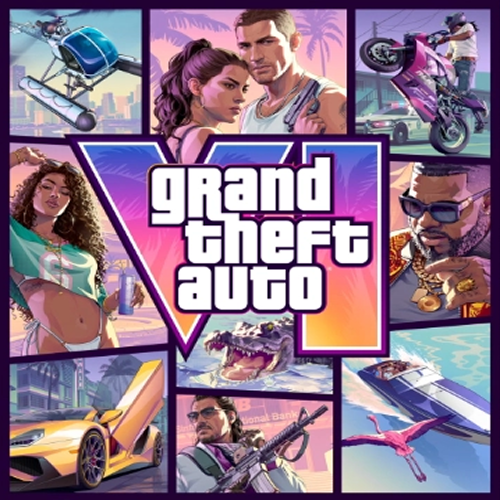
Imagine GTA 6 launching, but instead of needing an expensive gaming PC or console, you could just stream it through Xbox Cloud Gaming. Sounds crazy, right? Well, reports about Xbox and GTA 6 have been making gamers ask exactly that question. But the truth is more complicated than the headlines suggested. What Xbox Actually Said The rumor started with The Verge, which reported that Xbox CEO Asha Sharma told employees during an internal meeting that Microsoft was preparing something for GTA 6 that "no other platform holder is doing" . Sources identified this as Xbox landing exclusive streaming rights for GTA 6, which would have meant PC and mobile players could stream the game through Xbox Cloud Gaming . That report spread quickly. For PC players who have no confirmed PC version of GTA 6 to look forward to, the idea of streaming the game at launch through the cloud was a potential workaround . But on October 7, Xbox Chief Strategy Officer Matthew Ball issued a clarification that shut the door on that interpretation: "While the excitement for GTA 6 and Xbox is great to see, it has also led to some misreporting. We are looking forward to launching GTA 6 on Xbox November 19, though the game will not be streaming exclusively or to PC." Key takeaways from Ball's statement: No exclusivity: Xbox does not have exclusive streaming rights for GTA 6 No PC streaming: GTA 6 will not be available through Xbox Cloud Gaming on PC Console streaming likely: The deal appears to cover Xbox console streaming only, though exact details remain undisclosed What This Means for PC Players If you were hoping to bypass the console requirement and stream GTA 6 on your PC, that's not happening at launch. The reality: GTA 6 launches on November 19, 2026, exclusively on PlayStation 5 and Xbox Series X|S Rockstar has not announced a PC version Xbox Cloud Gaming will not be a workaround for PC players A report from GamesBeat suggests a PC release could come as early as Q1 2027, based on industry sources familiar with Rockstar's plans . But that remains unconfirmed. The Xbox Cloud Gaming Timing Is Suspicious Here's where things get interesting. Xbox is introducing major changes to Cloud Gaming in November 2026 the same month GTA 6 launches . The new limits: Tier Monthly Cloud Gaming Hours Game Pass Ultimate 15 hours Game Pass Premium 10 hours Game Pass Essential 5 hours Once you use those hours, you'll need to purchase additional playtime through the Xbox Store . Why this matters for GTA 6: Rockstar games are notoriously long. GTA 6's campaign will almost certainly exceed 15 hours by a wide margin. For cloud-first players, this means buying extra hours or burning through the monthly allowance in a single weekend . Microsoft is also introducing a pay-as-you-go option for Cloud Gaming in November, allowing players without a Game Pass subscription to purchase streaming hours directly . The timing of these changes alongside GTA 6's launch has not gone unnoticed by the community . So, Could Cloud Gaming Still Change How We Play GTA 6? Absolutely but not on PC. The confirmed arrangement appears to be console-only streaming . This means: Xbox Series X|S owners may be able to stream GTA 6 through Xbox Cloud Gaming, potentially freeing up console storage (GTA 6 is expected to be massive) PC players will not have access through the cloud Mobile and browser users may also be excluded, depending on how Xbox defines "console streaming" For Xbox console owners, this is a genuinely useful feature. For PC players hoping for a workaround, it's a dead end. The Bottom Line So, could cloud gaming eventually change how people experience GTA 6? Absolutely, it's a possibility for console players with limited storage or multiple devices. But until the details are officially confirmed, don't take the day-one PC streaming rumors as fact.Xbox has explicitly stated that GTA 6 will not be streamed to PC at launch . For now, the clearest path to playing GTA 6 at launch remains: own a PlayStation 5 or Xbox Series X|S. What Do You Think? Are you planning to play GTA 6 on console, wait for the PC release, or stream it through Xbox Cloud Gaming if you own an Xbox? Let us know in the comments.


